Appearance
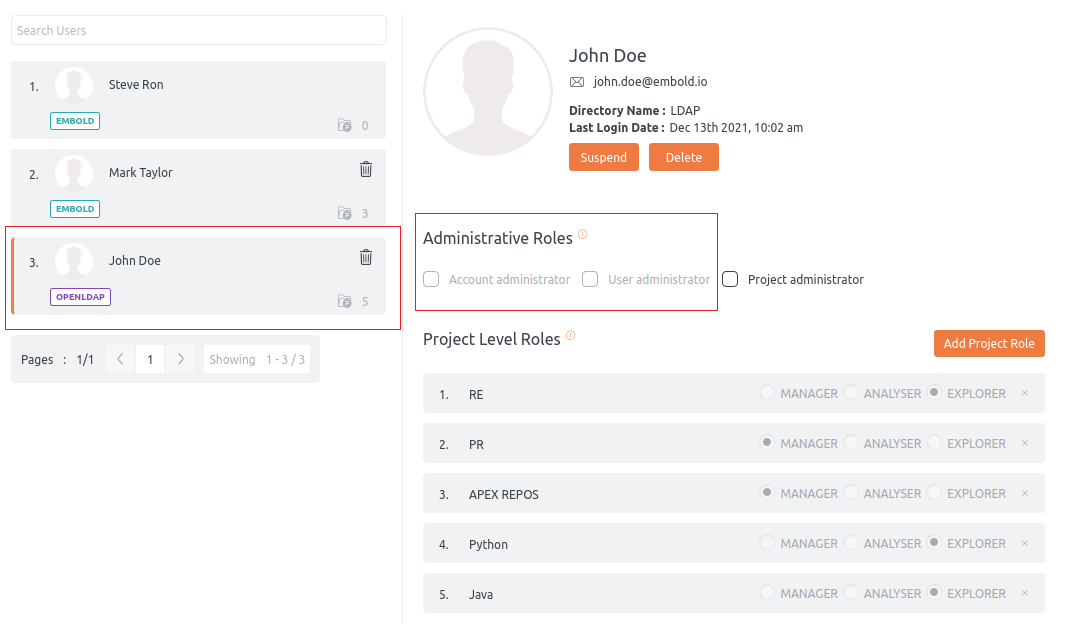
LDAP (Lightweight Directory Access Protocol) is used for directory service authentication and automatic role mapping.
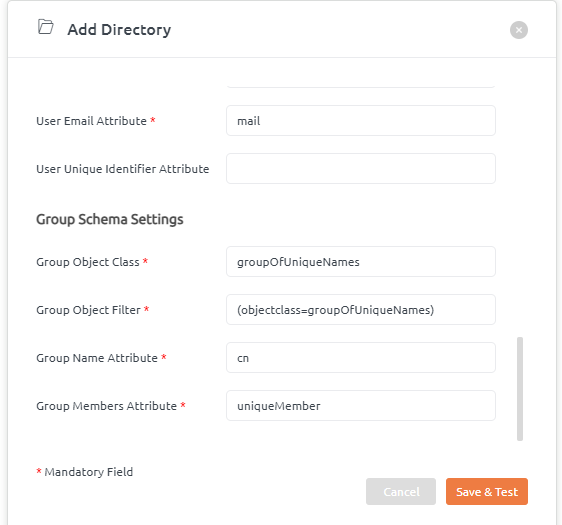
Configure Group Schema Settings
Use group schema settings to map LDAP groups to roles.
- Navigate to Administration > User Directories.
- Click Add Directory to open the dialog.
- Go to Group Schema Settings and enter the mapping details.
Global Roles
Predefined LDAP groups map to global roles:
code_quality_account_admin– Maps to Account Administrator.code_quality_project_admin– Maps to Project Administrator.code_quality_user_admin– Maps to User Administrator.
Read more about administrative roles here.
Project-Level Roles
Project-scoped roles use the pattern code_quality_<role>_{project_name}:
code_quality_manager_{project_name}– Manager role for the project (e.g.,code_quality_manager_PROJECTA).code_quality_analyser_{project_name}– Analyser role (e.g.,code_quality_analyser_PROJECTA).code_quality_explorer_{project_name}– Explorer role (e.g.,code_quality_explorer_PROJECTA).code_quality_contributor_{project_name}– Contributor role (e.g.,code_quality_contributor_PROJECTA).
Read more about project-level roles here.
If a project name defined in an LDAP group no longer exists or is invalid, BrowserStack Code Quality will disable the associated role in the UI. For example, if project RE is defined but unavailable, code_quality_manager_RE will be disabled under Project-Level Roles.