
Appearance
Gated commit
Gated Commit is an integration pattern where a commit is blocked until defined checks pass. It helps developers avoid breaking the code and prevents poor-quality changes from entering the integration branch. These checks occur before committing changes to the version control system (VCS).
Installation Steps
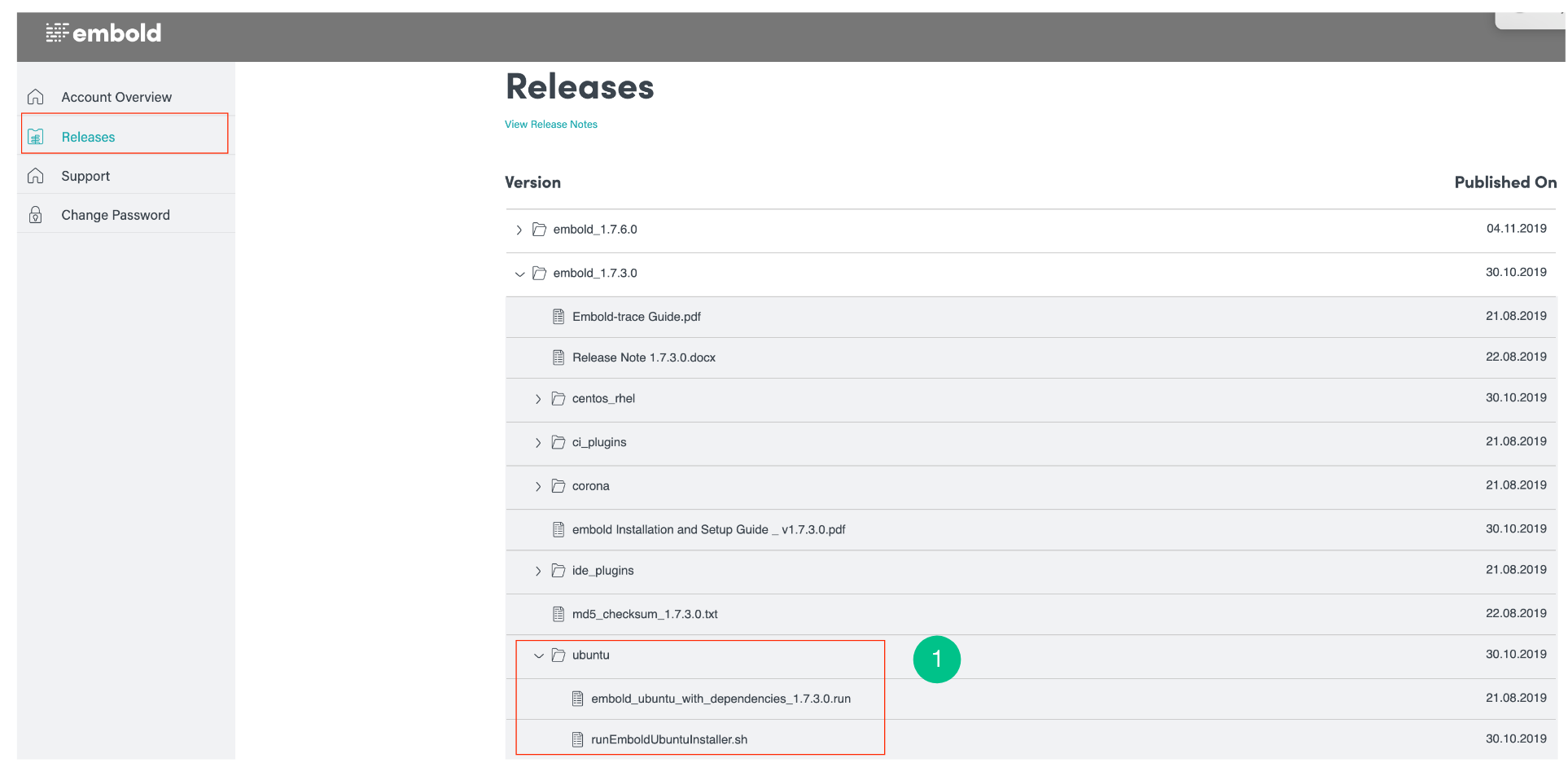
- Download the CLI from your Embold Account (Releases tab). Example file name:
browserstack-codequality-scanner.tar.gz. - Create a folder emboldLatest. Extract the downloaded tar in emboldLatest location.
- Create two folder with name “corona“ and “logs“ inside emboldLatest Folder.
- Set following variables globally.
  EMBOLD_SCANNER_HOME=<path-till-embold-scanner>
  CORONA_HOME=<path-till-corona>
  CORONA_LOG=<path-till-corona-log>
  EMBOLD_URL=<embold_server_url>
EMBOLD_TOKEN=<embold_token>- Copy the hook scripts:
- Git: Copy
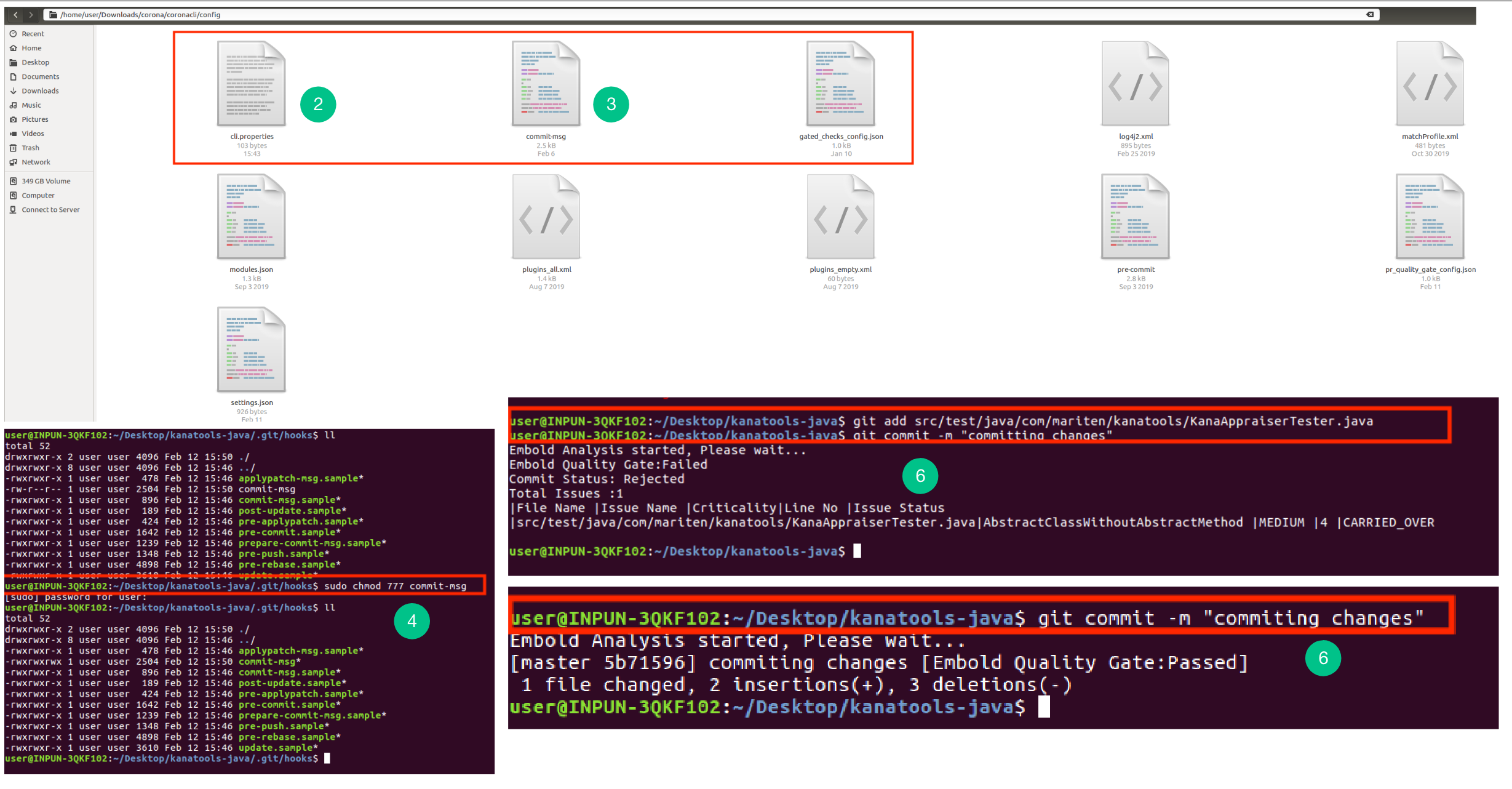
commit-msgfrom$EMBOLD_SCANNER_HOME/config/commit-msgto<baseDir>/.git/hooks/Verify both scripts are executable.
- Make required code changes.
- Commit:
git commit -m "Committing changes"- On success: no errors are shown.
- On failure: issues are listed in the console.
Overriding the Gate
In exceptional cases you may need to commit despite failing checks. Two options:
Force Commit: Runs Embold analysis but does not block the commit even if issues exist. New issues are appended to the commit message.
git commit -m "Committing changes" embold --force-commitRequired flag:
embold --force-commit
Skip: Skips analysis entirely; commit proceeds and the hook updates the commit message accordingly.
git commit -m "Committing changes" embold --skipRequired flag:
embold --skip