Appearance
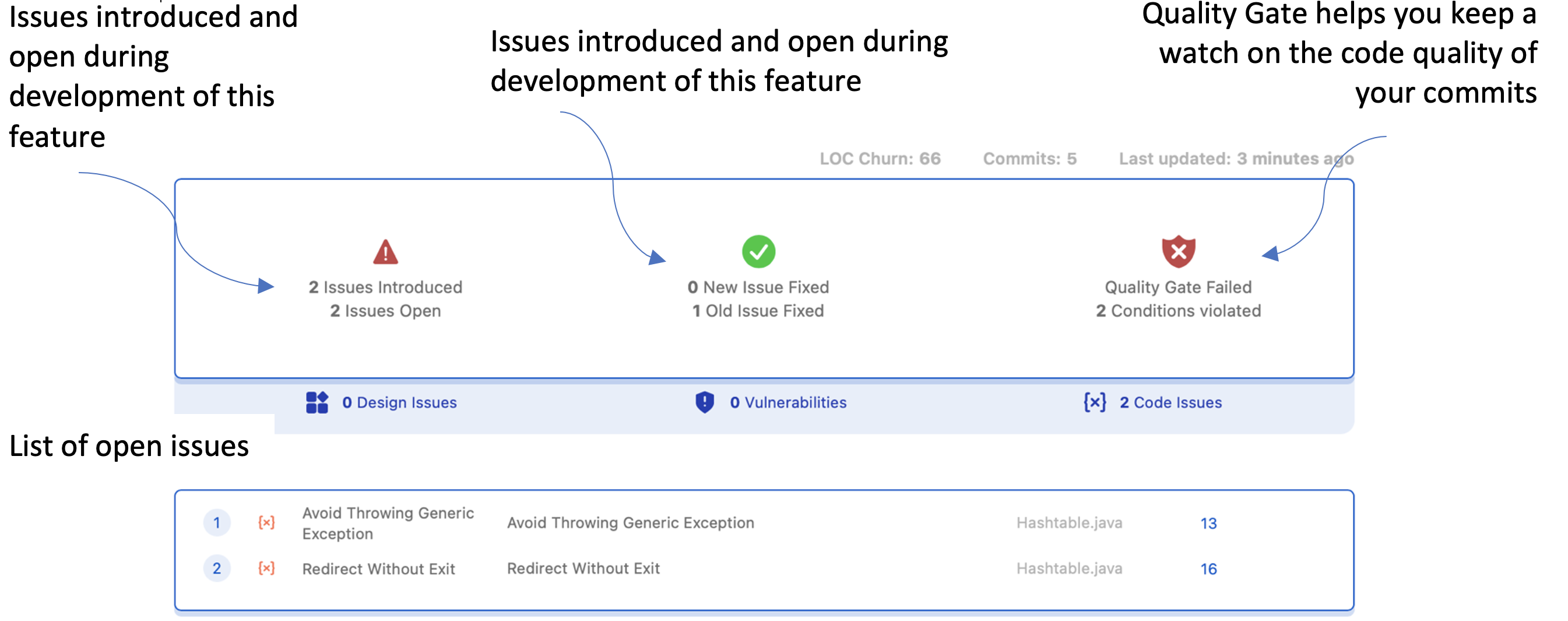
Analyze the code quality of your Jira feature with immediate visibility into issues added or fixed per commit.
BrowserStack Code Quality Summary on Jira Ticket
The BrowserStack Code Quality summary brings source code quality reporting directly into Jira. Monitor the health of your feature at the ticket level.
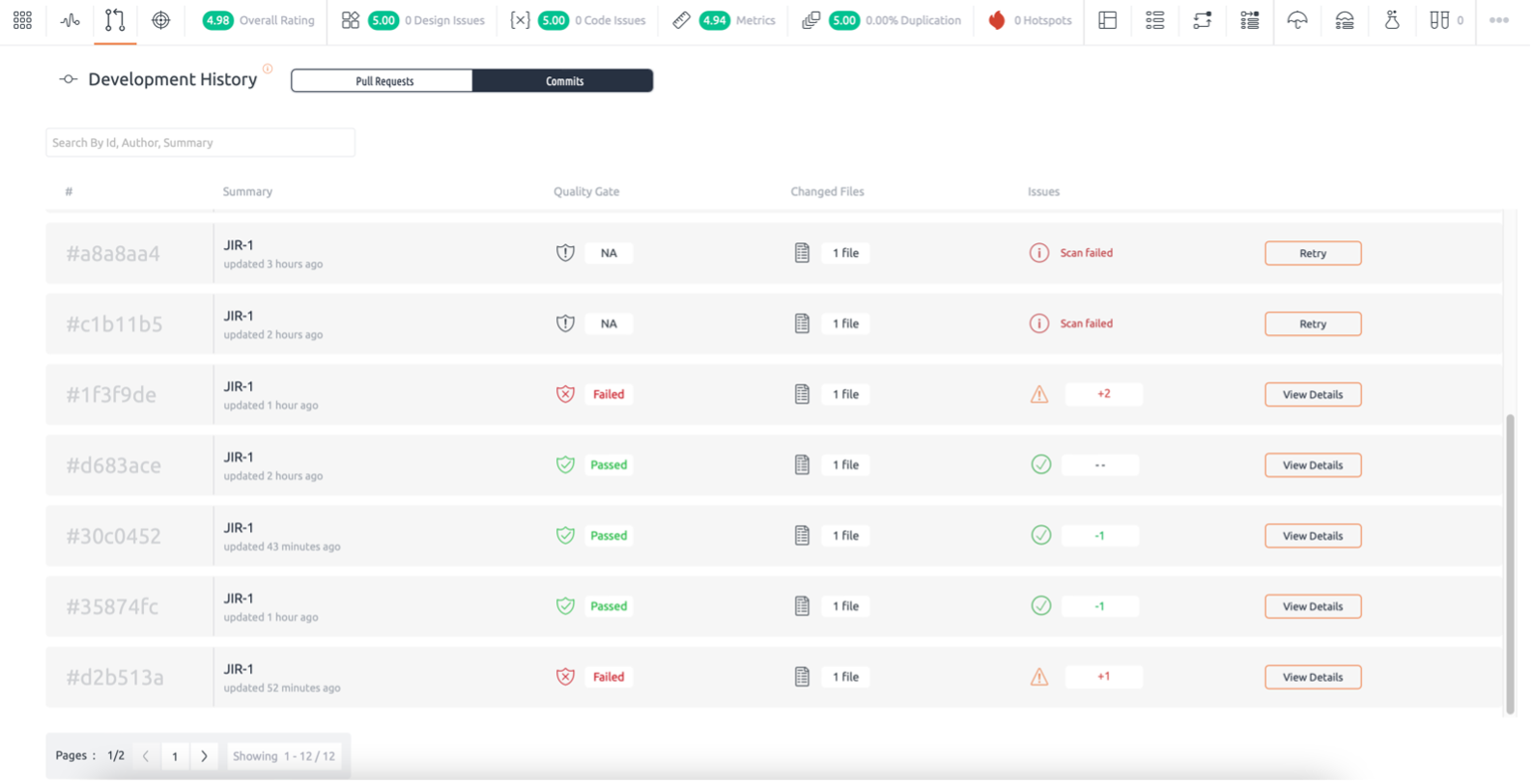
Commit History in BrowserStack Code Quality
Review commits made on your GitHub and Bitbucket linked repositories. Each new commit triggers an automatic scan. Issues, vulnerabilities, and duplications are reported in the Code Quality UI.
Installing BrowserStack Code Quality in Jira
1. Cloud
- Install BrowserStack Code Quality from the Atlassian Marketplace.
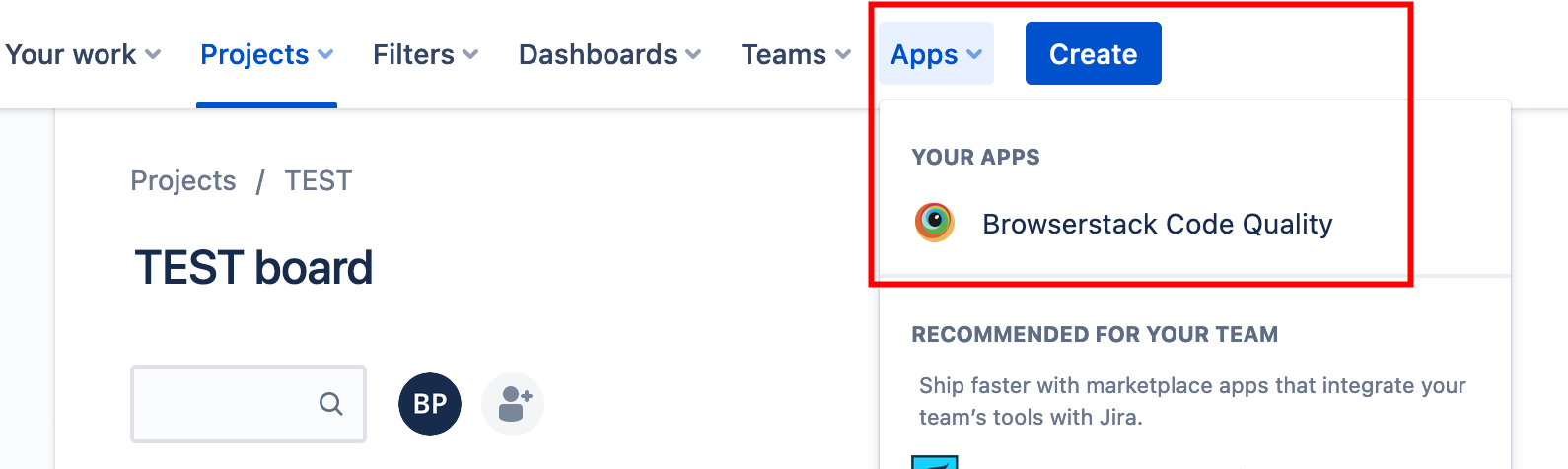
- Navigate to Apps > BrowserStack Code Quality to open the configuration window.
- Enter the Code Quality URL and Access Token. For help generating an access token, see this guide.
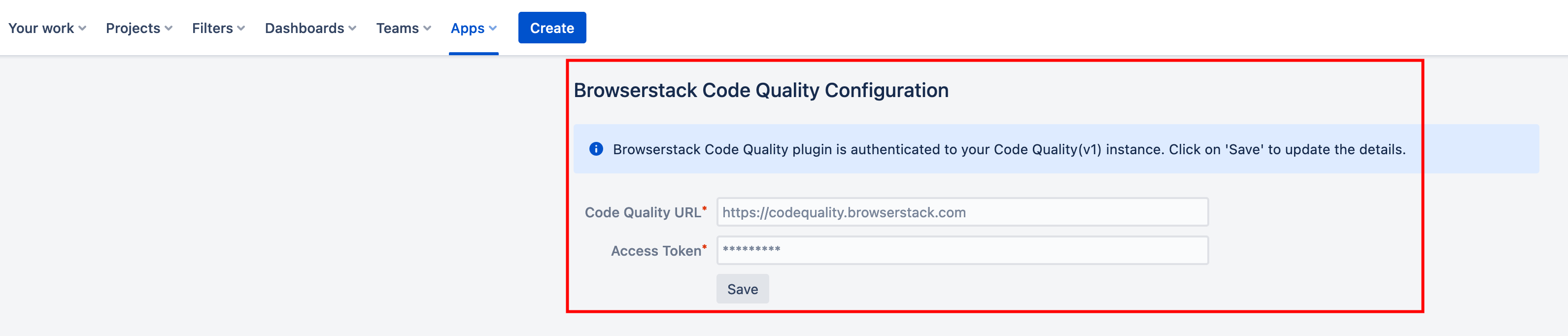
If the plugin is installed but the Code Quality URL and Access Token are not configured, the Code Quality Summary section will show a warning message. 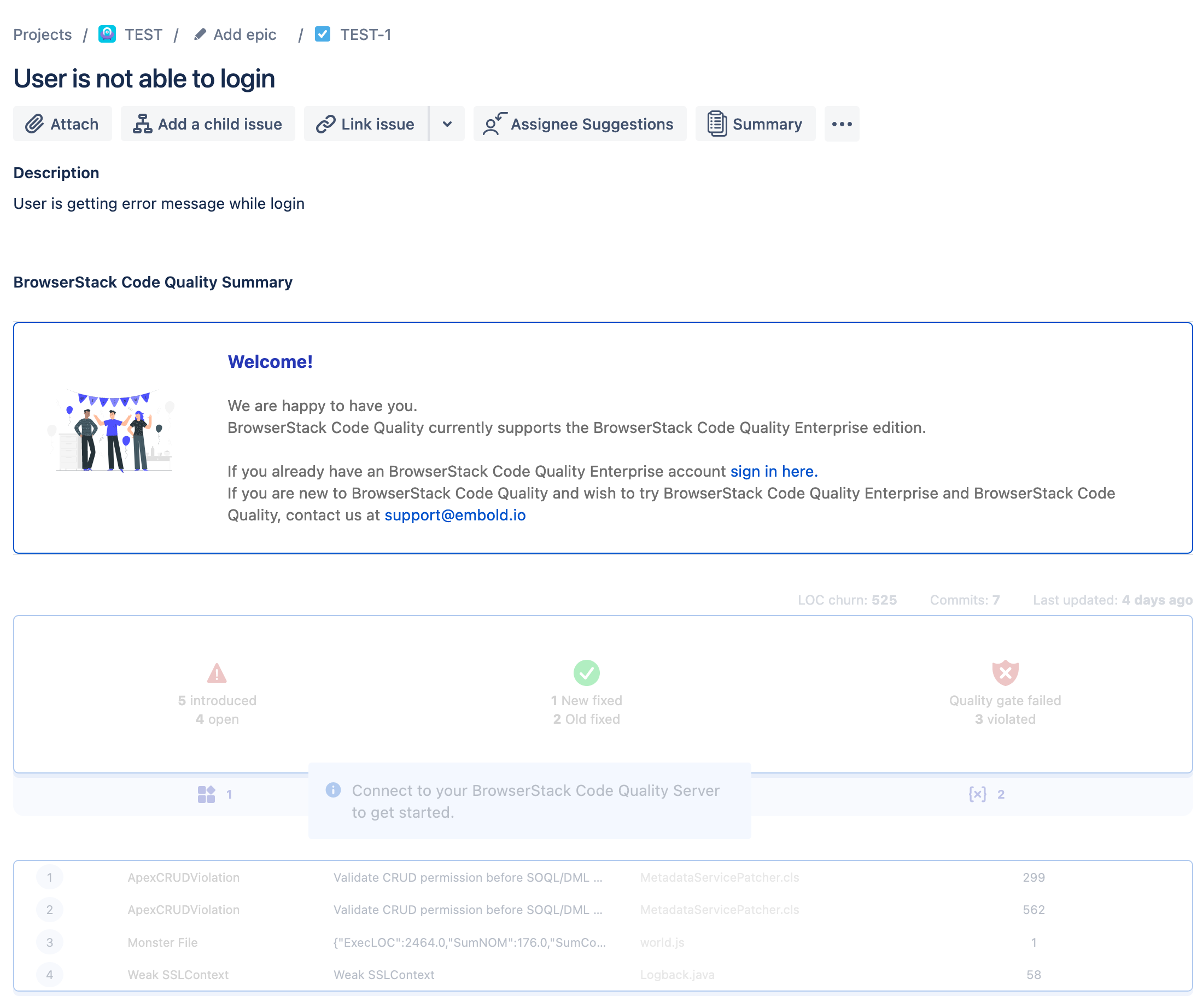
2. On-Premise
- Log in to your Jira instance.
- Go to Apps > Find new apps and search for Code Quality (Embold) Connect.
- Click Get app to install the plugin.
- After installation, open Project Settings, scroll down, and select Code Quality (Embold) Configuration.
- Authenticate using your Code Quality URL and Code Quality Access Token.
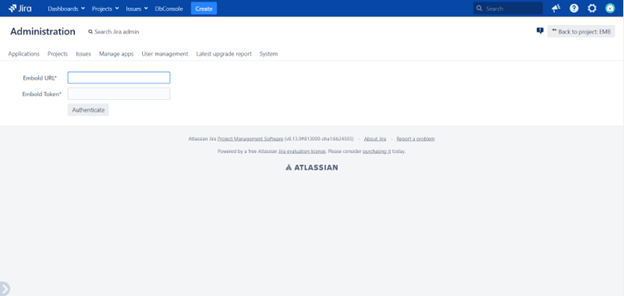
Note: The Jira plugin is available for Code Quality (Embold) Enterprise and on‑premise accounts.
Committing Changes (GitHub/Bitbucket)
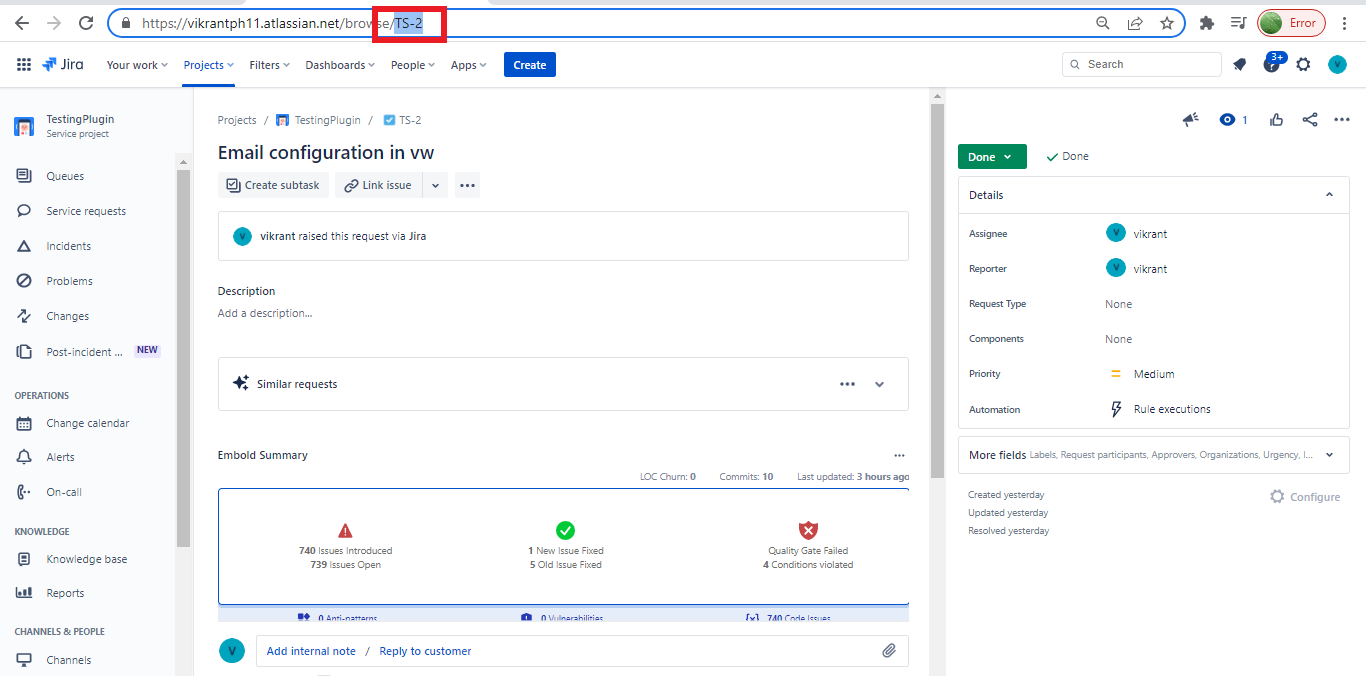
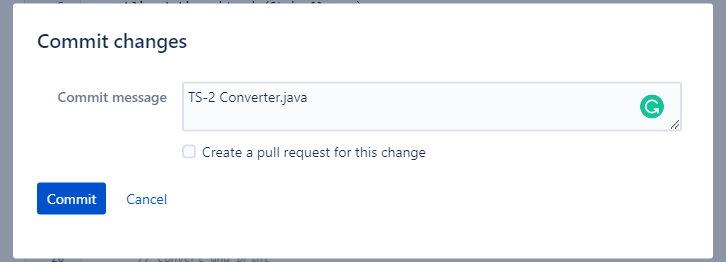
Modify code in your GitHub or Bitbucket repository. While committing, include the Jira ticket key (e.g., TS-2) in the commit message.
Jira Ticket Summary
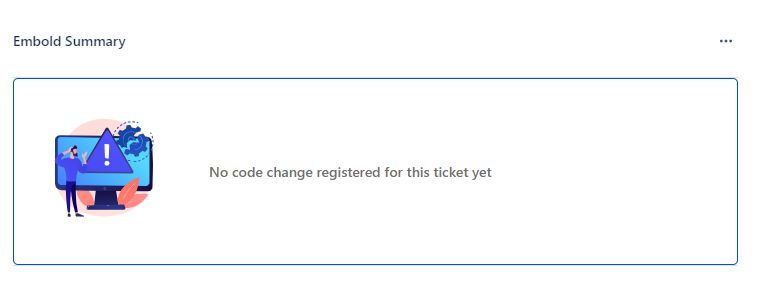
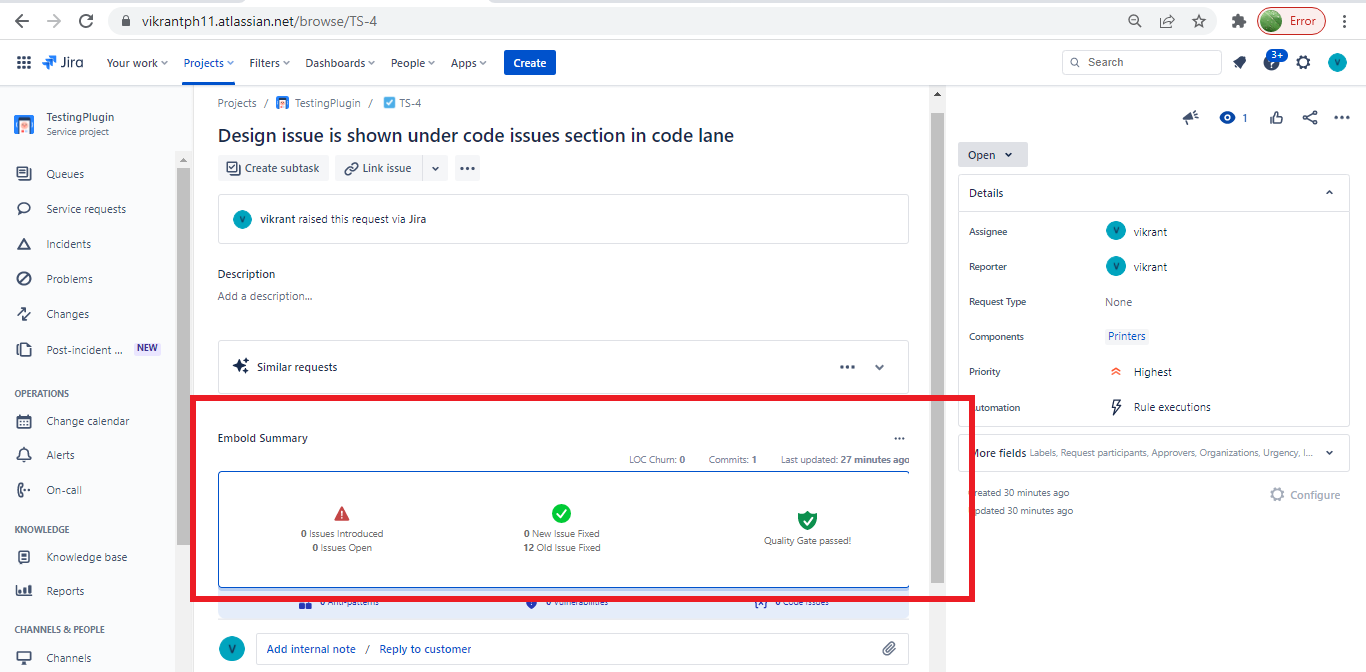
In Jira, go to Projects > [Ticket]. Under Embold Summary (accessible via the three dots), you can view commit frequency, fixed issues, open issues, and quality gate status.

This view shows commit occurrences along with fixed issues, open issues, and current quality gate status.
If no ticket ID is included in a commit message, a warning appears in the Jira ticket.