
Appearance
How to use the Code quality (Embold) Rules Portal
The complete and always up-to-date list of supported rules — including CWE checks, OWASP tags, and all other security and quality categories across every language — is available on the Code quality Rules Portal:
The portal is always in sync with the latest Code quality release, so the rule count and details you see there are never out of date.
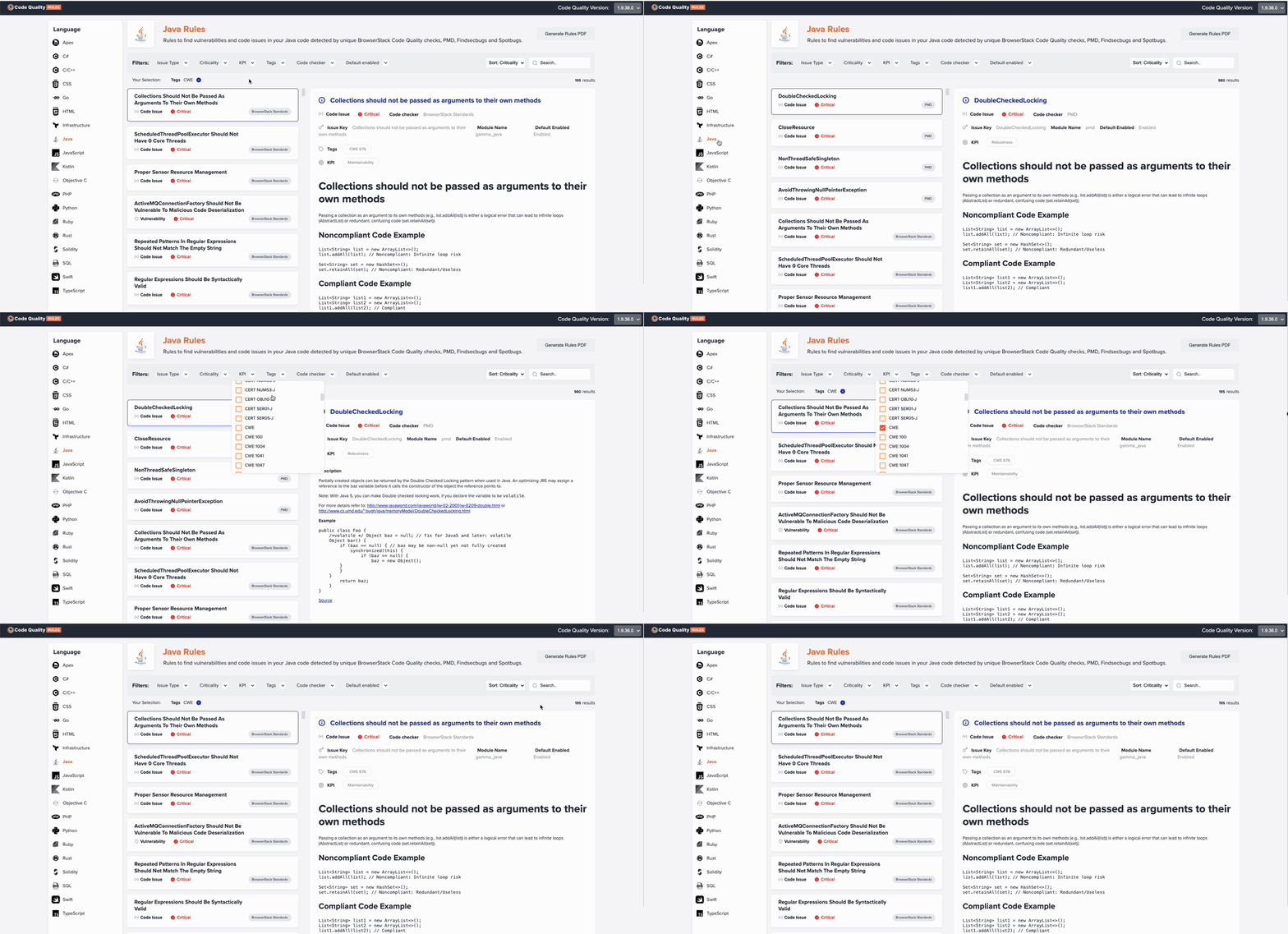 Click to enlarge
Step-by-step guide
Open the portal — Navigate to https://rules.embold.io in your browser.
Select a language — Use the language filter (e.g., Java, C/C++, Python) to narrow the list to rules for a specific technology stack.
Filter by tag — In the tag or category filter, type a standard such as CWE, OWASP, or CERT to show only rules carrying that tag. Each matching rule displays the exact identifier (e.g.,
CWE-78,OWASP-A03) alongside its title and severity.Check the rule count — The total number of matched rules is shown at the top of the results. This count updates automatically with every Code quality (Embold) release.
View rule details — Click any rule to see its full description, remediation guidance, code examples, and all associated tags.
Combine filters — Stack multiple filters simultaneously — for example, Java + CWE + High severity — to get a focused view of the rules most critical to your security posture.
Tip: Bookmark https://rules.embold.io to always access the latest rule set without relying on documentation that may be out of date.