
Appearance
Unit Test Integration (C/C++)
Code quality (Embold) can ingest Google Test (GTest) results for C/C++ projects. Code quality does not run tests; you must execute them separately and produce XML reports which Code quality then parses.
Prerequisites
- Code quality server running and accessible.
- Project built with GTest executed.
- XML test reports generated on the same host where the Code quality scan runs.
Remote Scan Workflow for GTest
- Open your project and click the repository menu (...).
- Select Pipeline Script (repository type must be
remote).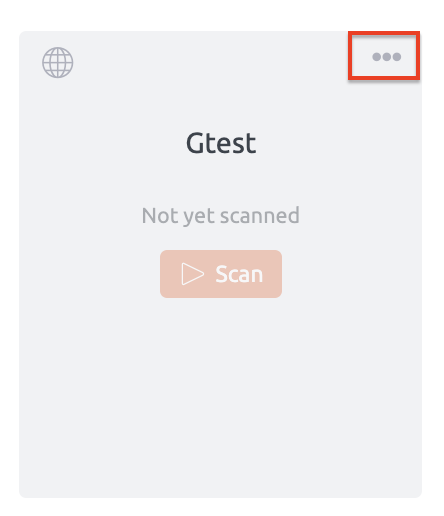
- Copy the generated shell script.
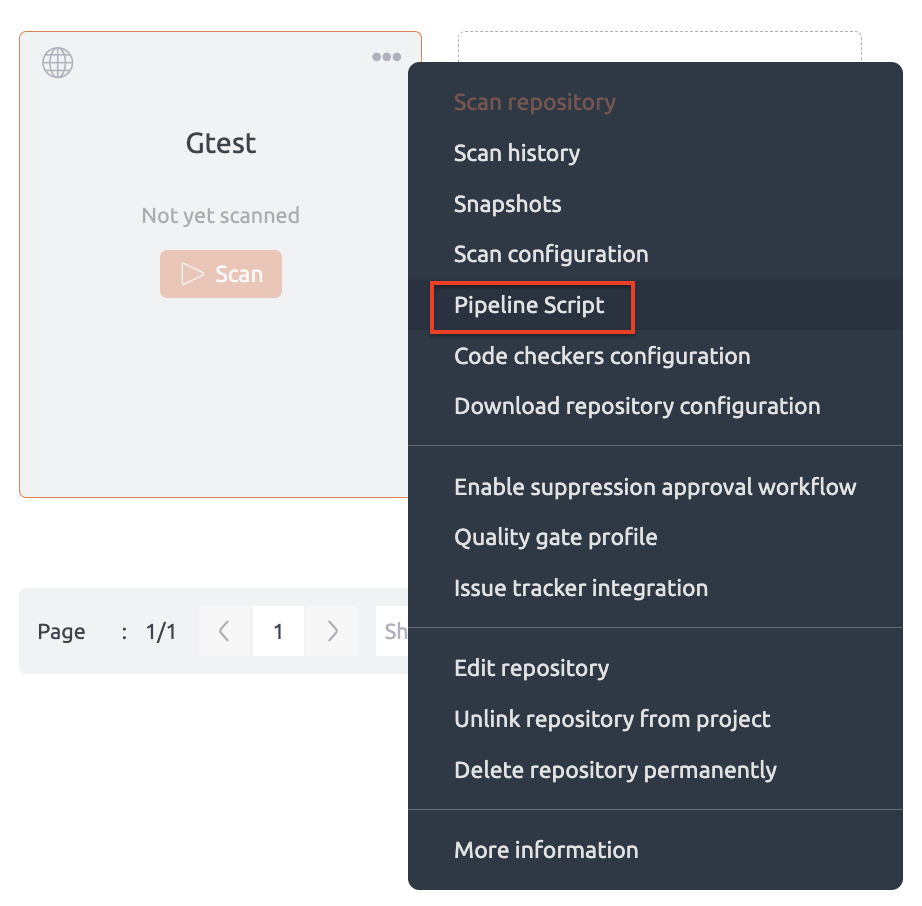
- Add your
EMBOLD_TOKENif not already present.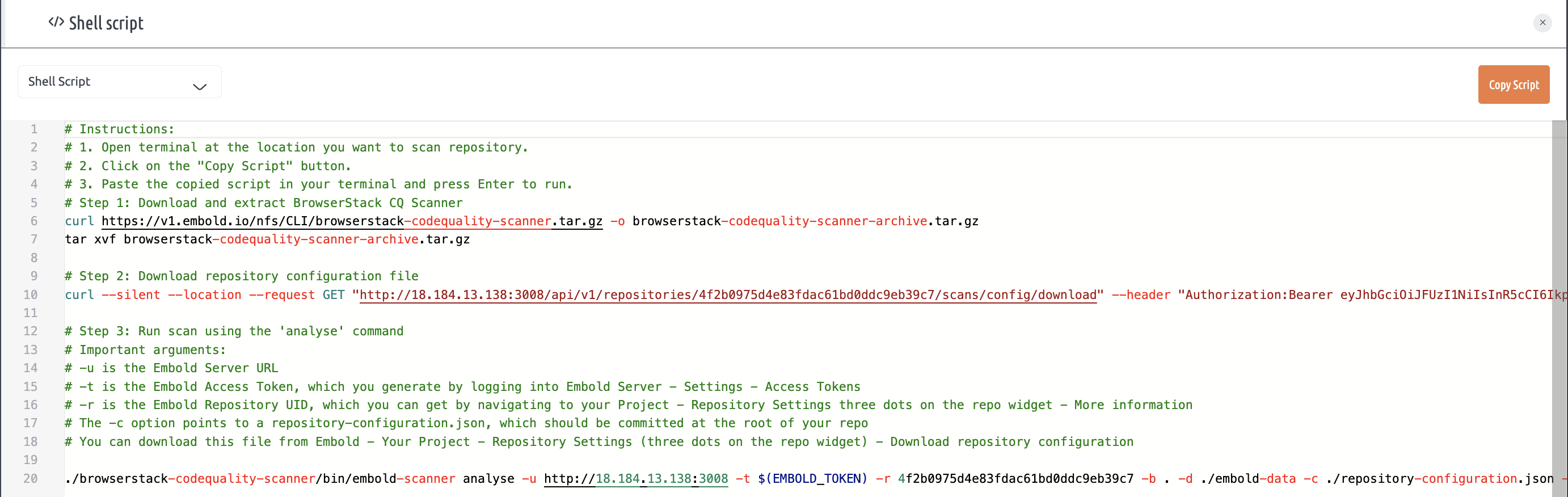
- Optional script adjustments:
- Comment lines 6–7 to skip automatic scanner download (if you provide it manually).
- Comment line 10 to skip automatic repository configuration download; supply path with
-c. - Ensure
gtestmodule remains enabled inrepository-configuration.json. UpdatereportDirif reports are stored outsidebaseDir.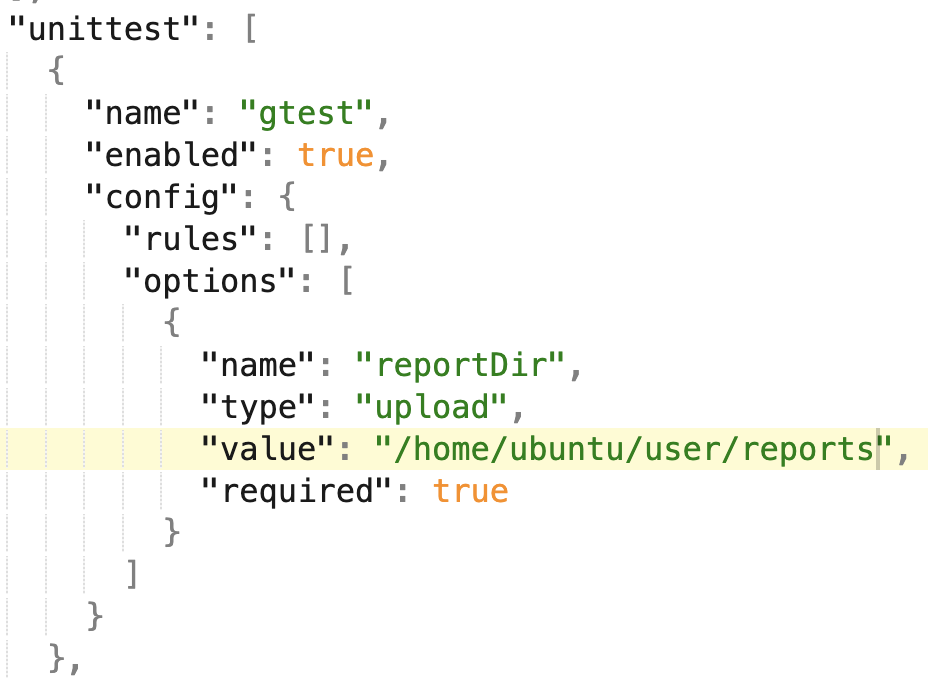
- Run the script.
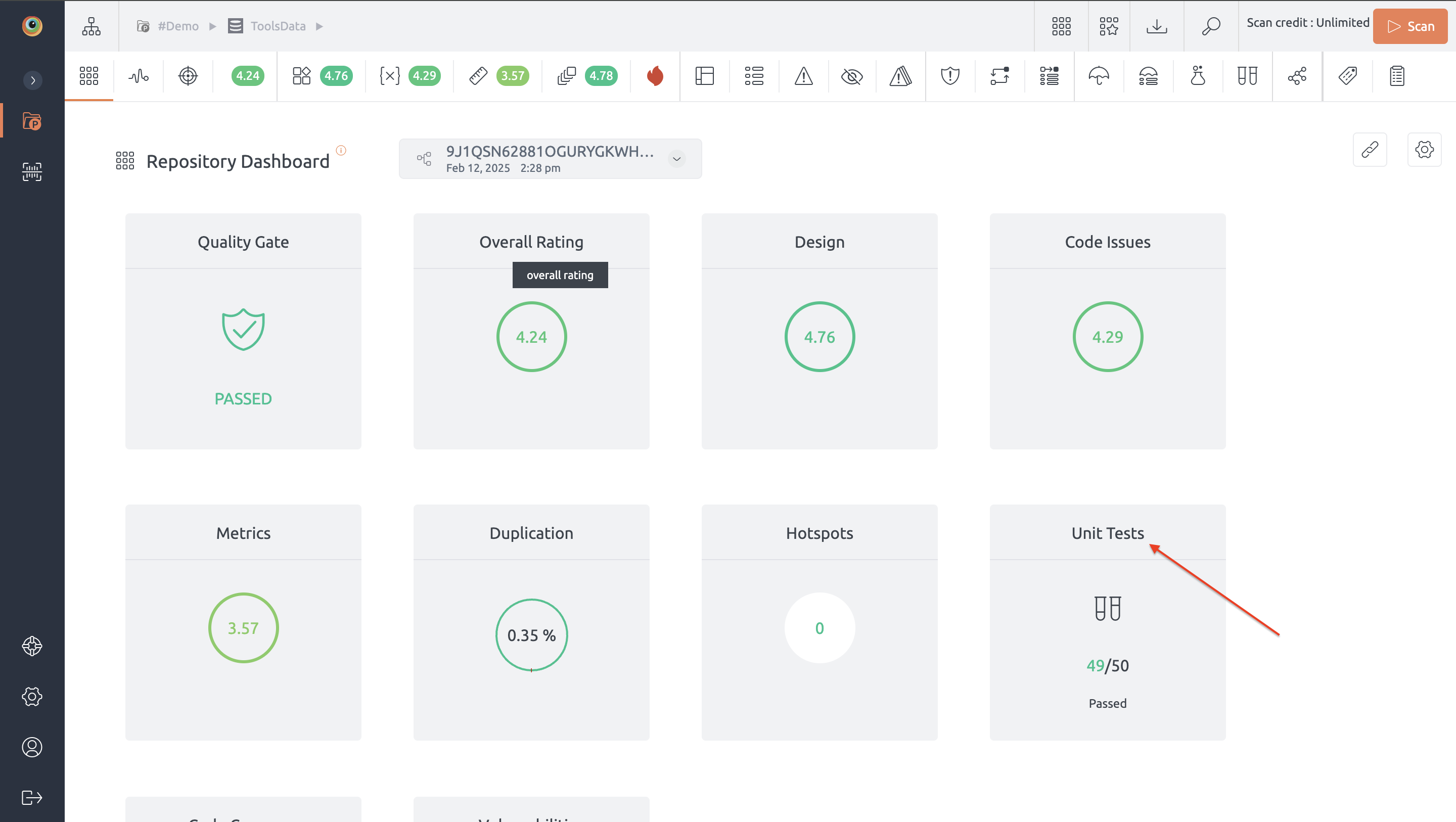
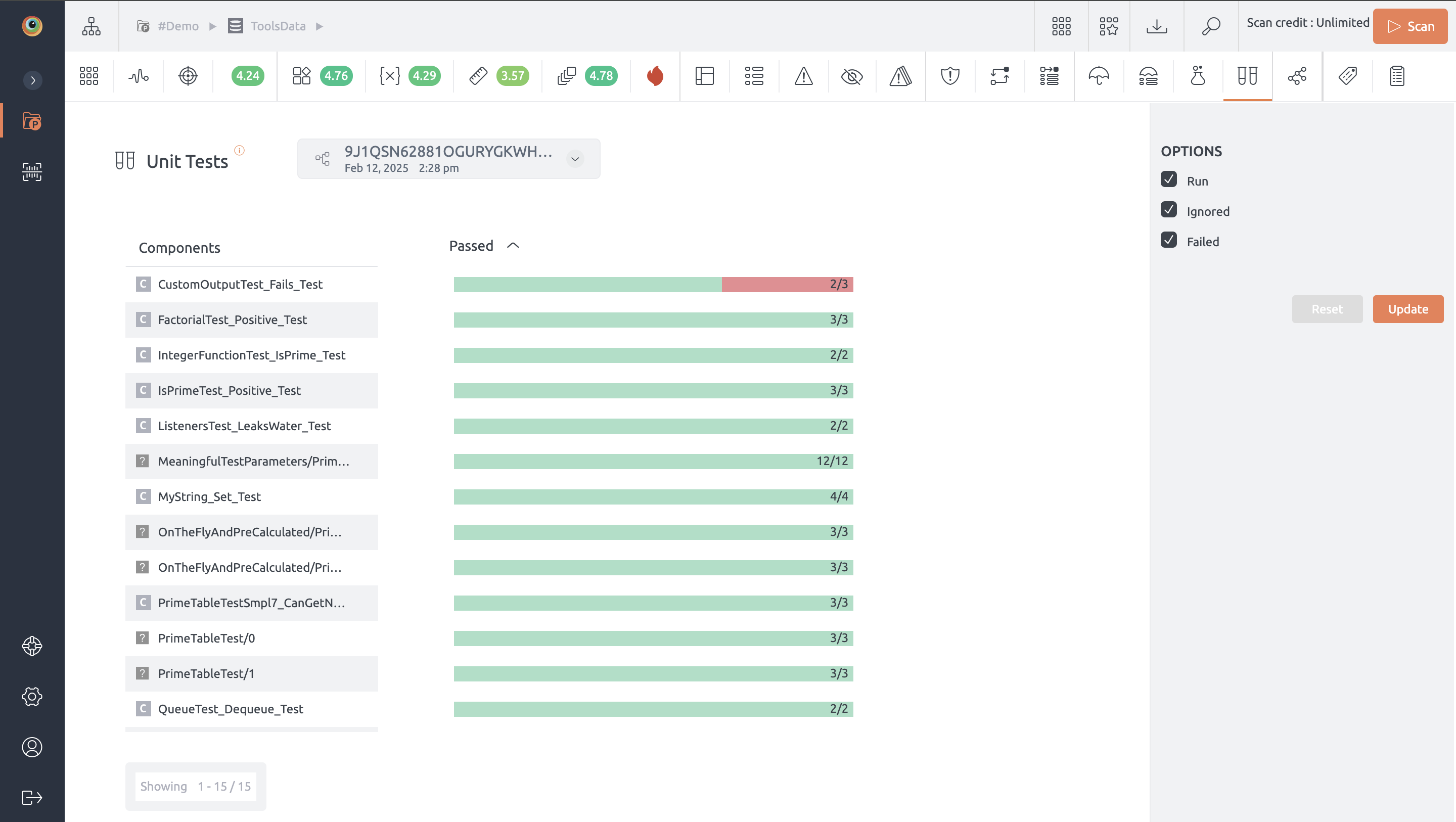
- View results under the Unit Tests section in the Code quality UI:
Notes
- Missing or malformed XML reports will result in absent test metrics.
- Keep report generation deterministic (stable file paths) for CI pipelines.